
Signed isn’t moved in. Rello runs the rest.
The Pre-Move Suite turns the stretch from executed lease to move-in day into one guided checklist, insurance, rent-payment setup, scheduling, utilities, and documents, so renters arrive ready and your team stops chasing.
Trusted By








Rello’s Pre-Move Suite is the module NYC operators use to coordinate everything between a signed lease and move-in day. Each renter gets a guided checklist, insurance, rent-payment setup, move-in scheduling, utility transfer, and required documents, driven by reminders that name what’s still outstanding. Your team tracks every upcoming move-in from one view instead of chasing renters by email.
Between the lease and the keys, coordination scatters
Insurance sits in one inbox, the moving date in another, utilities and payment setup nowhere in particular, and the only way to know where a renter stands is to email and wait.
Move-in day arrives with something still missing, an uninsured unit, a renter who never set up payment, and it lands on the leasing team to sort out on the spot.
One guided checklist per renter
One guided checklist per renter
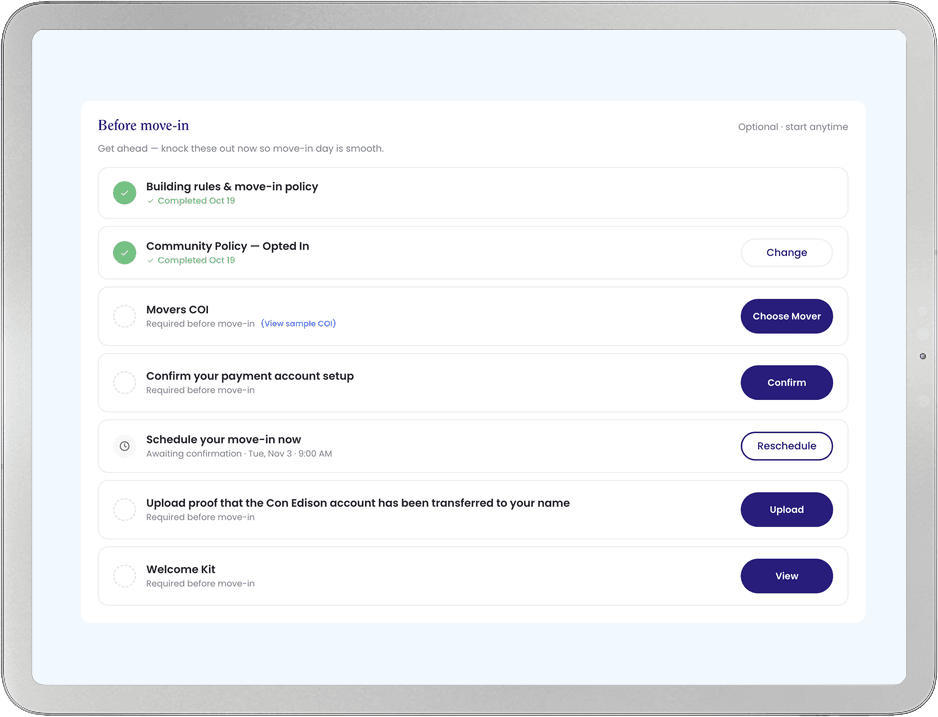
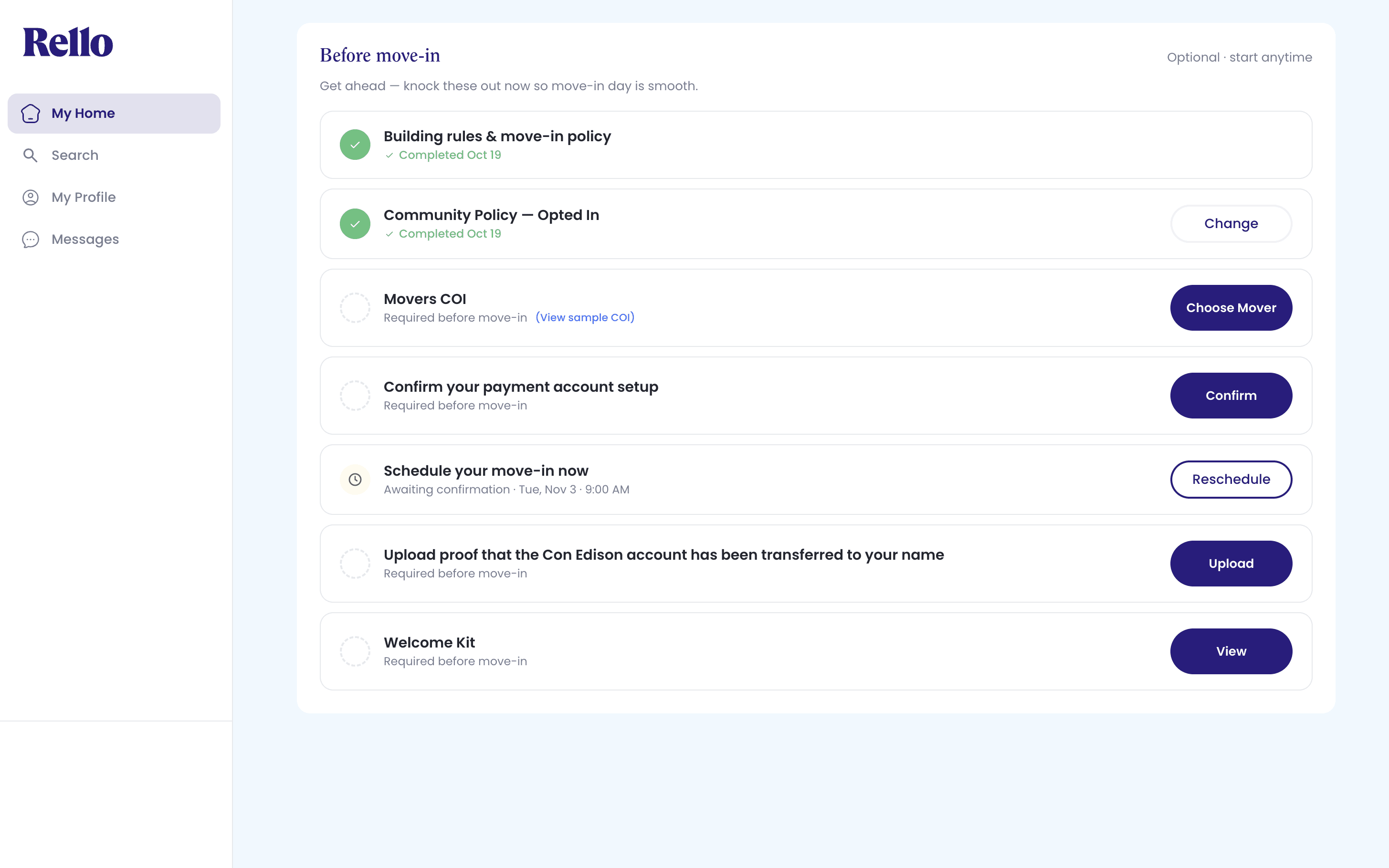
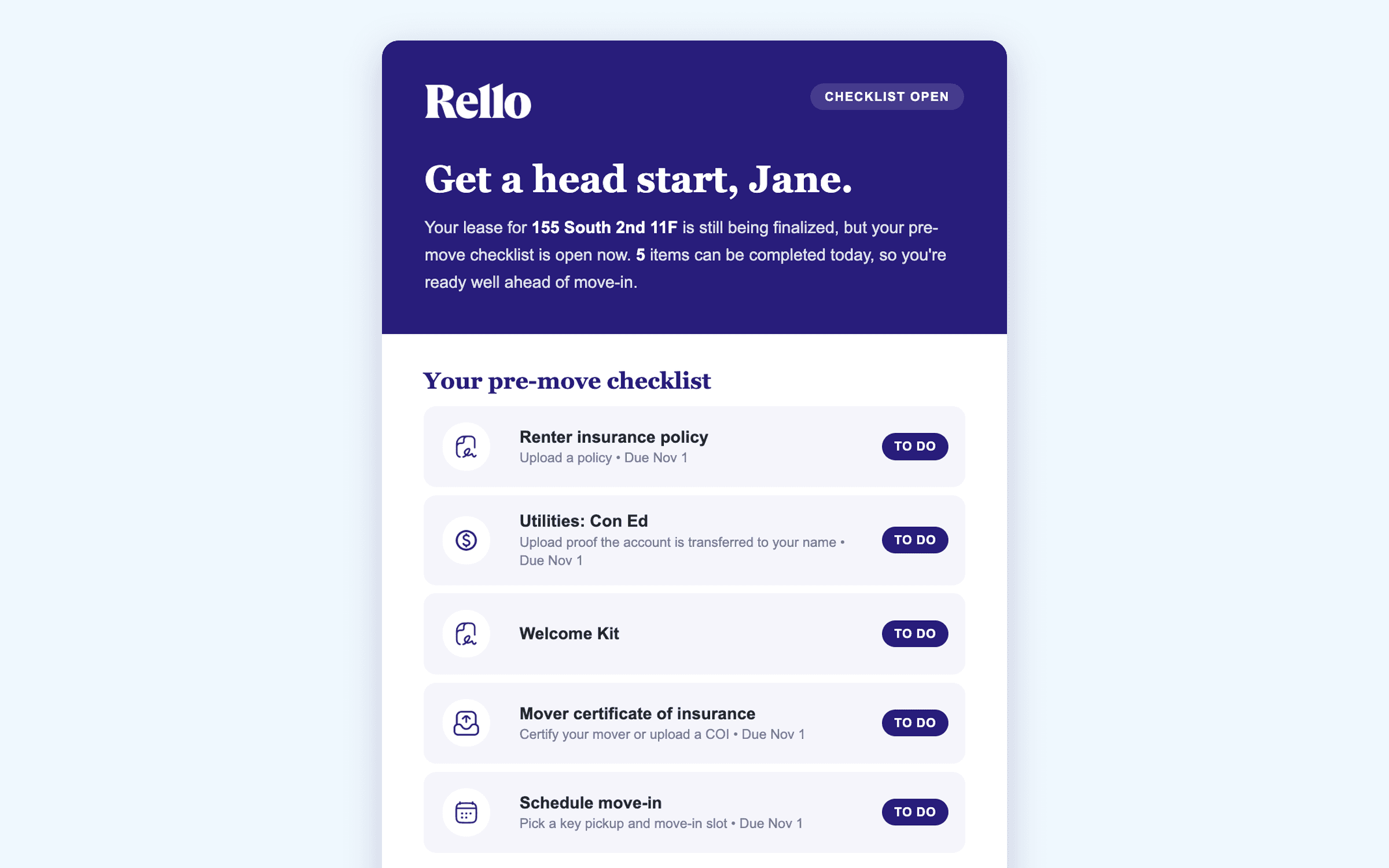
The moment the lease is executed, each renter sees exactly what’s required to move in, tracked to completion. No one guesses what’s left.
Insurance, more than one way to satisfy it
A renter can upload their own policy, pull a quote from a partner, or opt into the building’s community policy where you offer one. However they satisfy it, the item closes in the same place.
Rent-payment setup, confirmed
Where a property collects rent through its own system, the checklist asks the renter to confirm they’ve set it up and upload proof, so payment setup is done before move-in, not chased after.
Scheduling and utilities, in the flow
Renters book a move-in time and handle utility transfer without leaving the checklist.
Reminders that say what’s actually left
Automated reminders name the renter’s outstanding items and the requirement behind them, not a generic nudge, and taper off as the checklist gets done.
Every move-in in one view
The Command Center shows which renters are missing which requirements across every upcoming move-in, so your team works one list instead of chasing individuals.
- One list, not individual chasesMissing requirements across every upcoming move-in, in one view.
- Nothing assumed doneEach uploaded document, insurance, payment confirmation, COI, is reviewed and accepted by your team.
“As we launched One Sunset’s leasing operations, Rello gave us the infrastructure to move quickly and stay organized. Beyond automating applications and creating leases, Rello keeps our entire move-in process seamless. From collecting COIs and setting up utility accounts to scheduling move-ins, renters have a smooth transition into their new homes.”
Included with Lease.
The Pre-Move Suite is included with the Lease module, no separate charge. Pay-as-you-go on executed leases, no subscription.
Frequently asked questions
What is the Pre-Move Suite?
The part of Rello that coordinates everything between a signed lease and move-in day: a per-renter checklist for insurance, rent-payment setup, move-in scheduling, utilities, and documents, with reminders that name what’s outstanding.
Is it a separate product?
No. The Pre-Move Suite is included with the Lease module, at no separate charge.
How does the insurance requirement work?
Rello surfaces the requirement to the renter and gives them more than one way to satisfy it, their own policy, a partner quote, or the building’s community policy where you offer one. Your team reviews and accepts what’s uploaded.
What if our property collects rent outside Rello?
Turn on the payment-account confirmation item, and each renter confirms they’ve set up rent payment with your system and uploads proof, reviewed by your team like any other checklist item.
Does Rello replace my PMS?
No. Rello sits on top of your PMS, such as Yardi, RentManager, or MDS.
Related
See the Pre-Move Suite on your move-ins
Walk through your own move-in checklist with our team. Rello sits on top of your PMS, such as Yardi, RentManager, or MDS.